Root cause analysis: Fishbone diagrams
Root Cause Analysis helps identify the underlying causes of a problem, not just its symptoms. In eKaizen, it is available in the project detail under Evaluation → Root Causes. It is typically used on…

Updated
by eKaizen Support
Root Cause Analysis helps identify the underlying causes of a problem, not just its symptoms. In eKaizen, it is available in the project detail under Evaluation → Root Causes. It is typically used once the problem is clearly described and before final solutions are agreed.
Fishbone diagram
eKaizen uses the Fishbone diagram (Ishikawa diagram) to structure possible causes of a problem into logical categories. Typical categories may include People, Methods, Machines, Materials, Measurements, or Environment.
Category names are configurable by administrators, so the labels you see may vary.
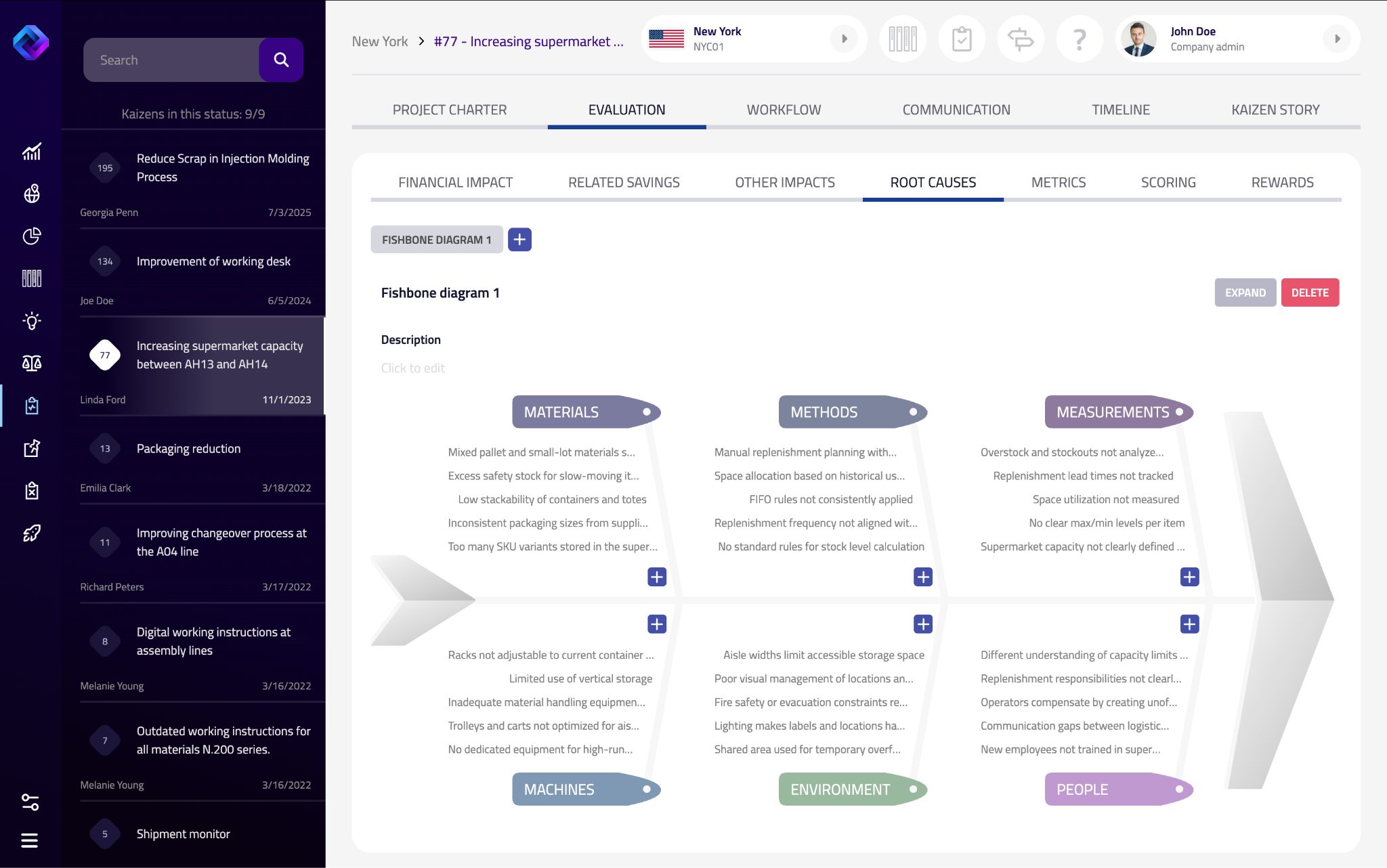
Creating a Fishbone diagram
If no analysis exists yet:
- Click the + button.
- The diagram opens directly in the Root Causes tab.
You can edit an existing diagram; it's also possible to create more than one diagram within a project if needed.
Working with the diagram
- Use the + icon under a category to add causes.
- Enter short, clear descriptions.
- Causes can be edited or removed as the analysis evolves.
- Use the Description field to summarize the focus of the analysis.
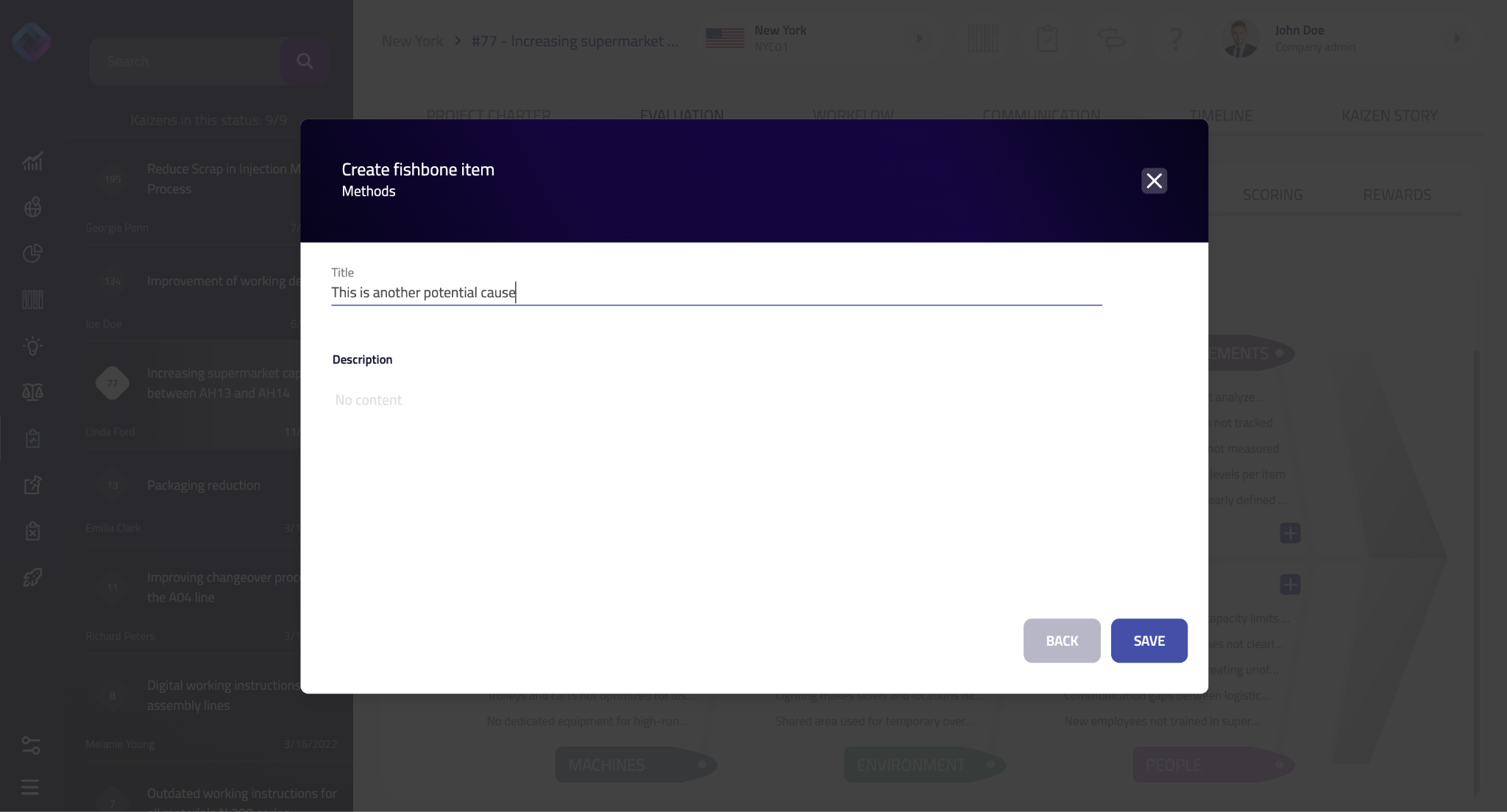
View and management
- Expand opens the diagram in a larger view (useful for workshops).
- Delete removes the entire diagram.
Didn’t find what you were looking for? Reach out to your administrator, your eKaizen contact person or write to contact@ekaizen.app.
How did we do?
Root cause analysis: 5 Why
Financial evaluation