Table of Contents
Root cause analysis: 5 Why
The 5 Whys method helps identify the root cause of a problem by repeatedly asking "Why?" until the underlying cause is found. In eKaizen, it is available in the project detail under Evaluation → Root…

Table of Contents
The 5 Whys method helps identify the root cause of a problem by repeatedly asking "Why?" until the underlying cause is found.
In eKaizen, it is available in the project detail under Evaluation → Root Causes → 5 Whys, alongside the Fishbone diagrams.
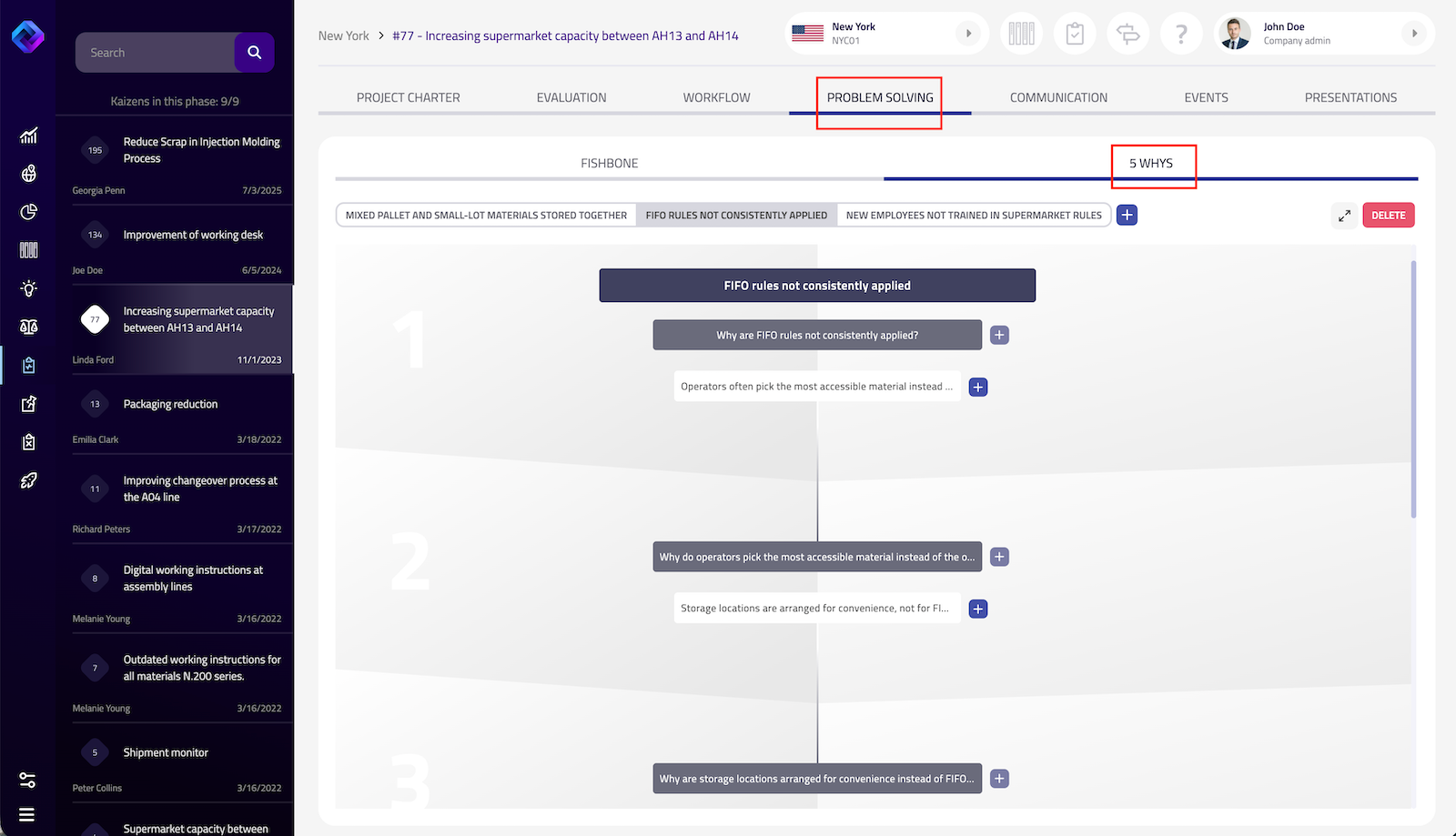
Creating a 5 Whys analysis
- Click the + button to create a new analysis.
- Start with the problem you want to investigate, then continue building the analysis by clicking the + icon next to each cause.
You can create multiple 5 Whys analyses within the same project and switch between them using the tabs at the top.
Working with causes
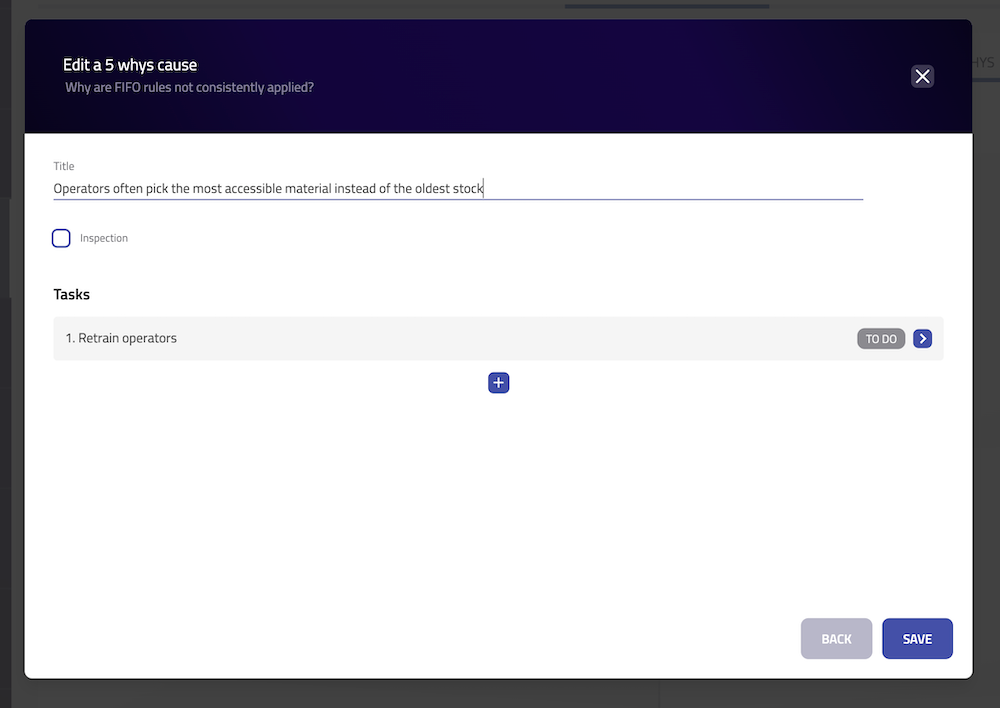
Click any cause to open its detail. Here you can:
- edit the cause description,
- indicate that the cause has been investigated and ruled out,
- create and manage related tasks.
Causes that have been ruled out are marked with an OK badge in the analysis.
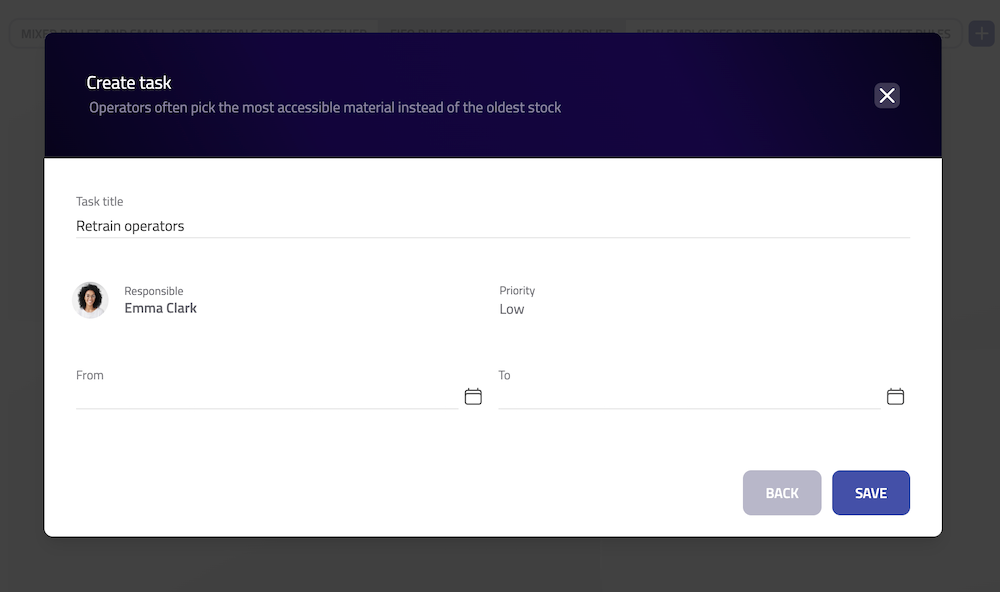
Creating tasks
Tasks can be created directly from any cause that requires additional investigation or corrective action. Once saved, the task becomes part of the project's Workflow, allowing it to be tracked alongside all other project activities.
Managing the analysis
- Use Expand for a larger workspace when working with more complex analyses.
- Click Delete to remove the current 5 Whys analysis.
How did we do?
Root cause analysis: Fishbone diagrams