Table of Contents
Scoring and prioritization of projects
Scoring is one of the Evaluation tools in eKaizen. It is used to calculate the project’s performance score and determine its prioritization. You can access it in Project detail → Evaluation → Scoring…

Table of Contents
Scoring is one of the Evaluation tools in eKaizen. It is used to calculate the project’s performance score and determine its prioritization. You can access it in Project detail → Evaluation → Scoring.

The scoring card is generated automatically based on the project’s properties, such as project type, improvement area, location, and other relevant factors.
Starting the scoring process
To begin:
- Establish a Scoring committee by clicking the [+] button. The committee can include a single evaluator or multiple members.
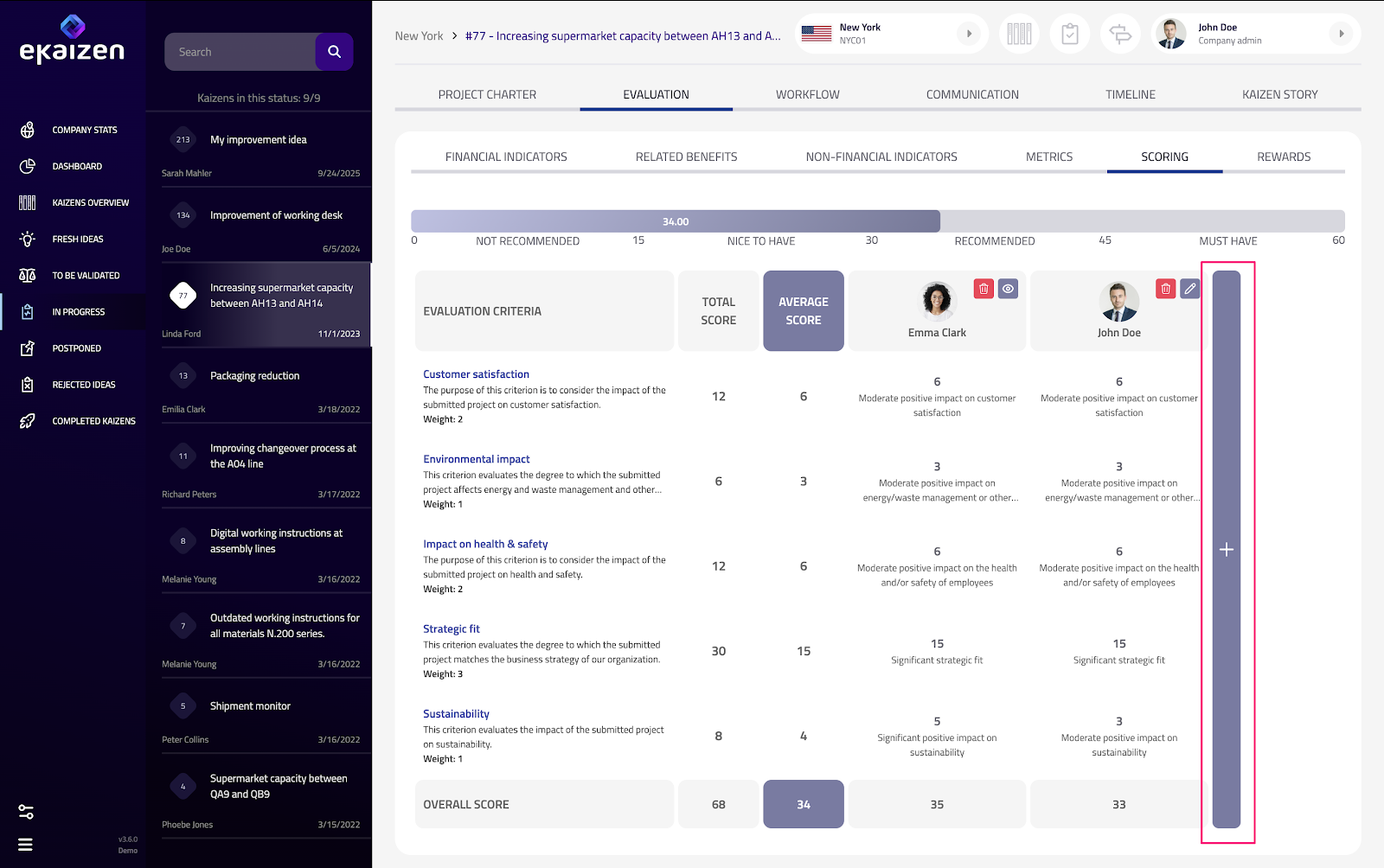
- Once assigned as a member of the committee, each evaluator receives an email invitation to participate.
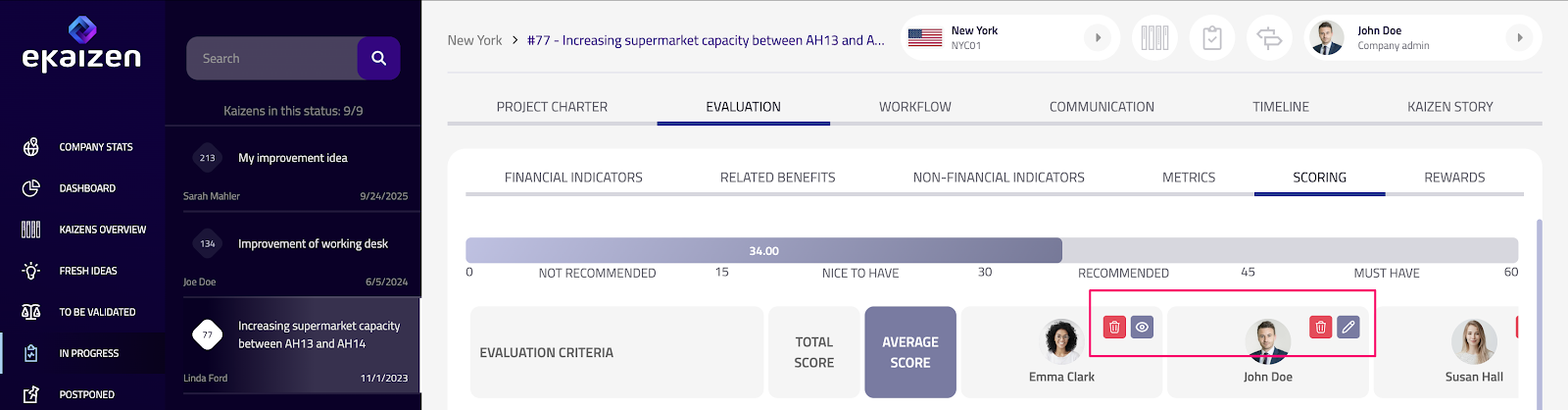
- Evaluators can view the results of other members. To see a detailed view of an evaluator’s scoring, click the [eye] icon next to their profile picture.
- If you are an evaluator, a [pen] icon appears near your profile picture — click it to open and complete your scoring evaluation.
If you are an evaluator
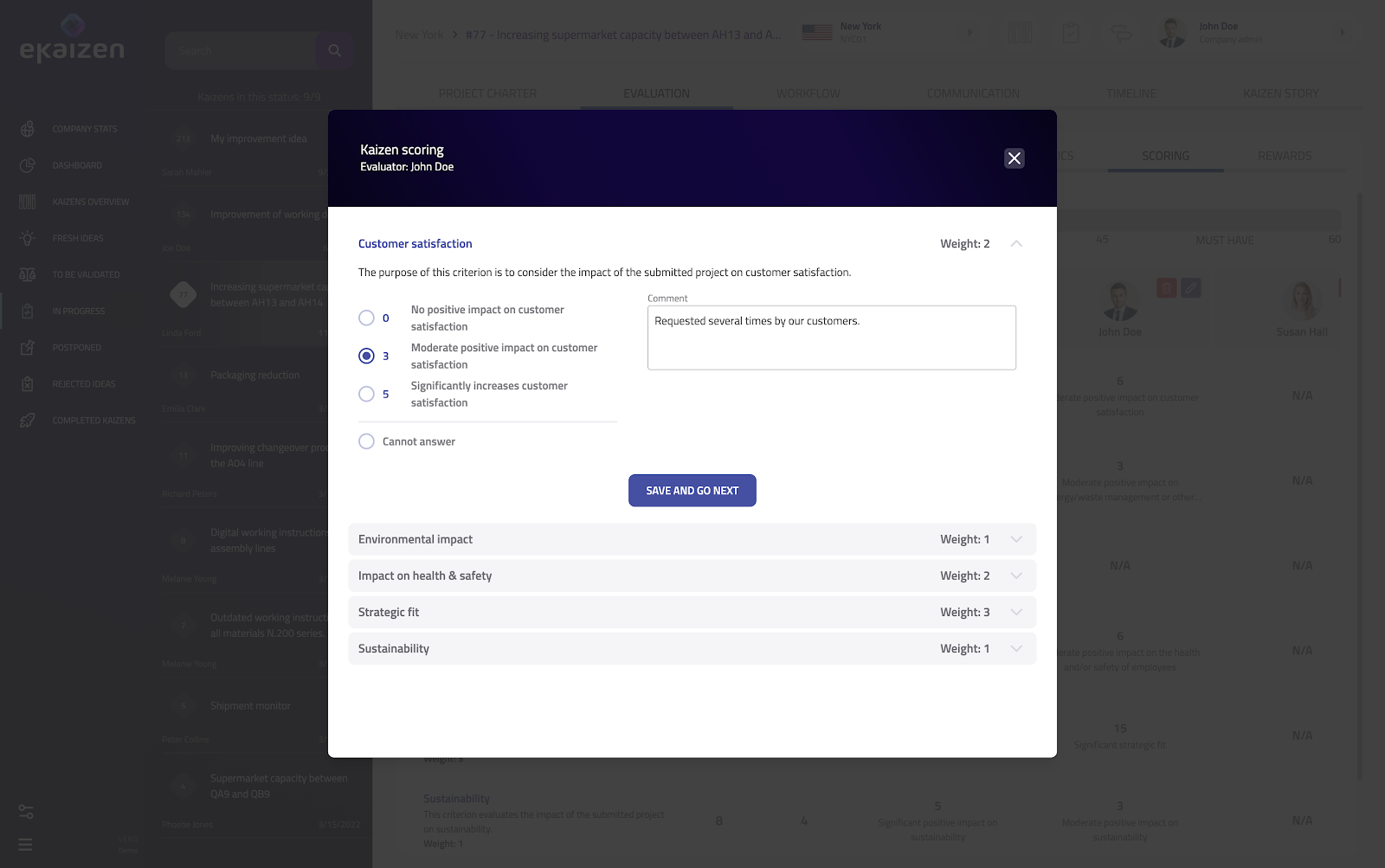
Were you assigned as one of the evaluators? Click the link in your email notification to open the scoring card. When you start the process:
- A dialog window opens with a list of scoring criteria.
- Each criterion includes a point scale and a description, helping evaluators assign scores consistently.
- Evaluators can add a personal comment to each criterion.
- Some criteria may have different weights, meaning that assigned points are multiplied by a coefficient to reflect their relative importance.
Results
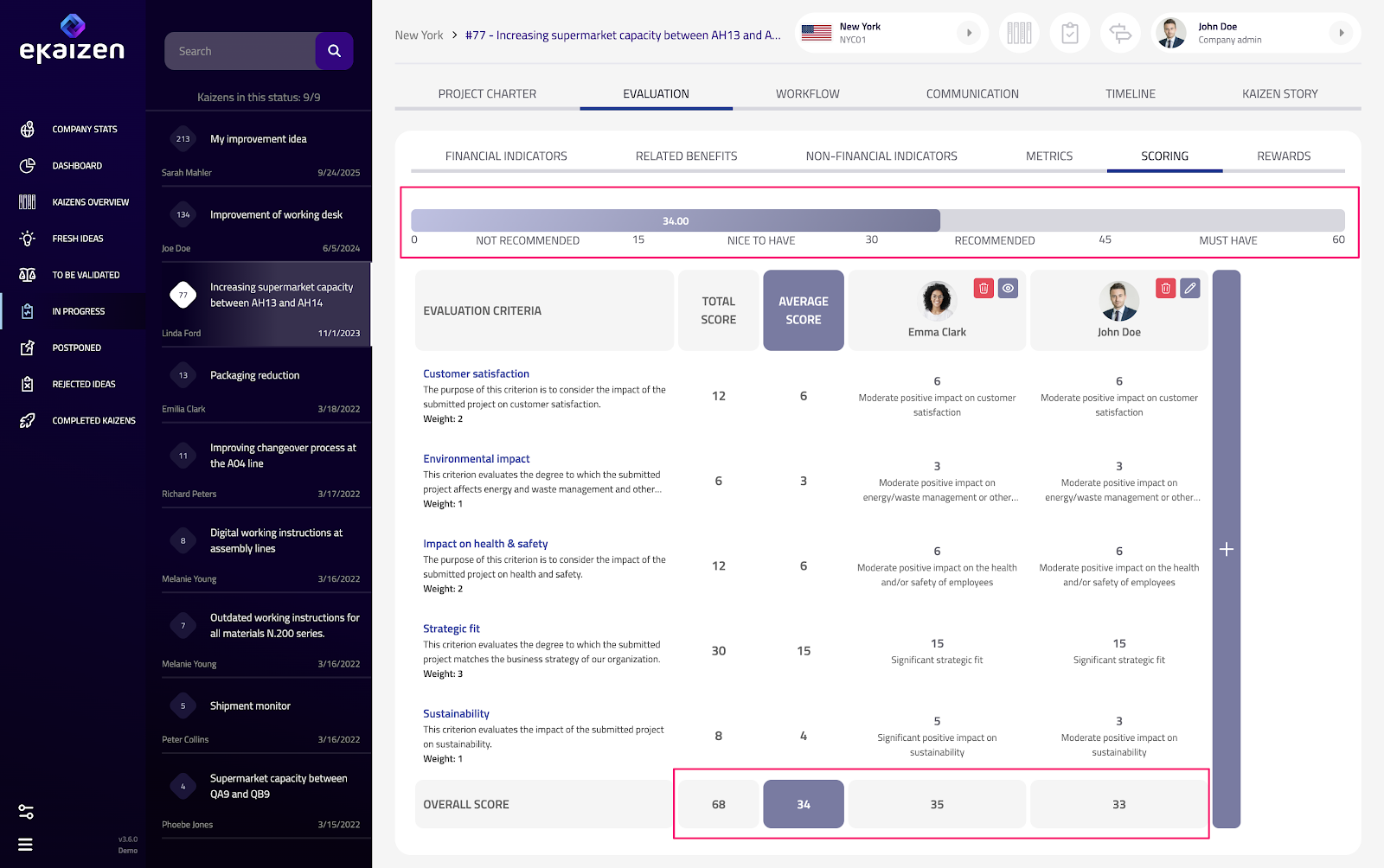
After all scorings are submitted, eKaizen automatically calculates:
- The score per evaluator.
- The average score of the entire scoring committee.
- The total score for the project.
These results help identify project performance and support consistent decision-making across the organization.
Score ranges and prioritization
To help interpret results, score ranges can be predefined. These ranges visually indicate how the project ranks based on its average score. When ranges are set:
- A progress bar appears above the scoring card.
- The project’s average score determines where it falls within the defined ranges (e.g. Recommended for implementation).
eKaizen clearly shows which range the project belongs to based on its final score, making prioritization transparent and consistent. For easier orientation, you can also filter projects by score in the Kaizen Overview.
How did we do?
Using metrics