Table of Contents
Working with the kaizen overview
What is the Kaizen Overview? The Kaizen Overview gives you a clear view of all ideas and projects submitted in eKaizen. You can track progress, review details, apply filters, and export data - all in…

Table of Contents
What is the Kaizen Overview?
The Kaizen Overview gives you a clear view of all ideas and projects submitted in eKaizen. You can track progress, review details, apply filters, and export data - all in one place.
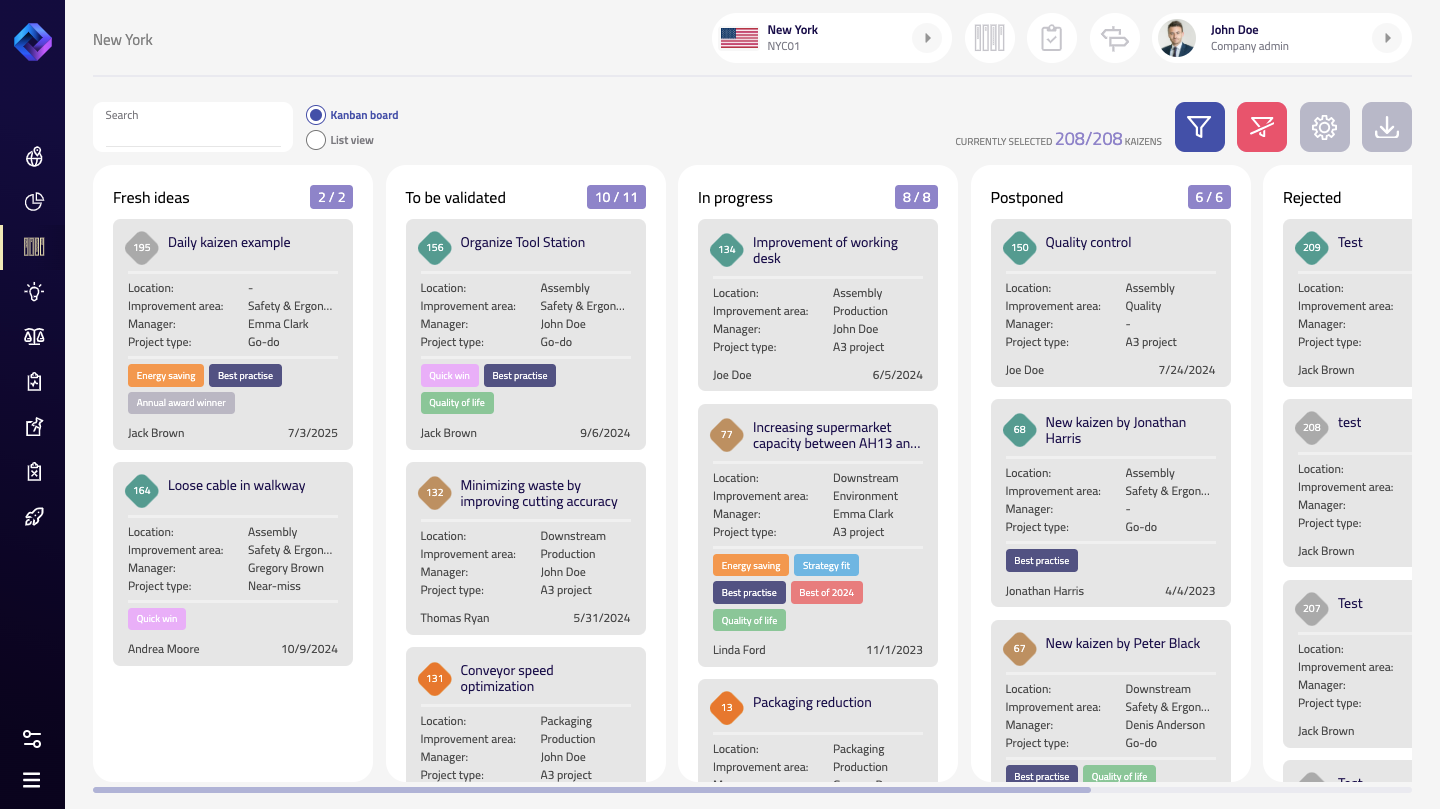
Projects are grouped into columns by stage (e.g. Fresh ideas, To be validated, In progress, Completed...). These stages are predefined and consistent across all project types in your company.
Board vs List View
You can choose between two views:
- Kanban board - shows each project as a card within its current stage column. This is ideal for a visual overview and daily management.
- List view - displays all kaizens in a table format for quick sorting and scanning.
Switch between views at the top of the page.
Filters
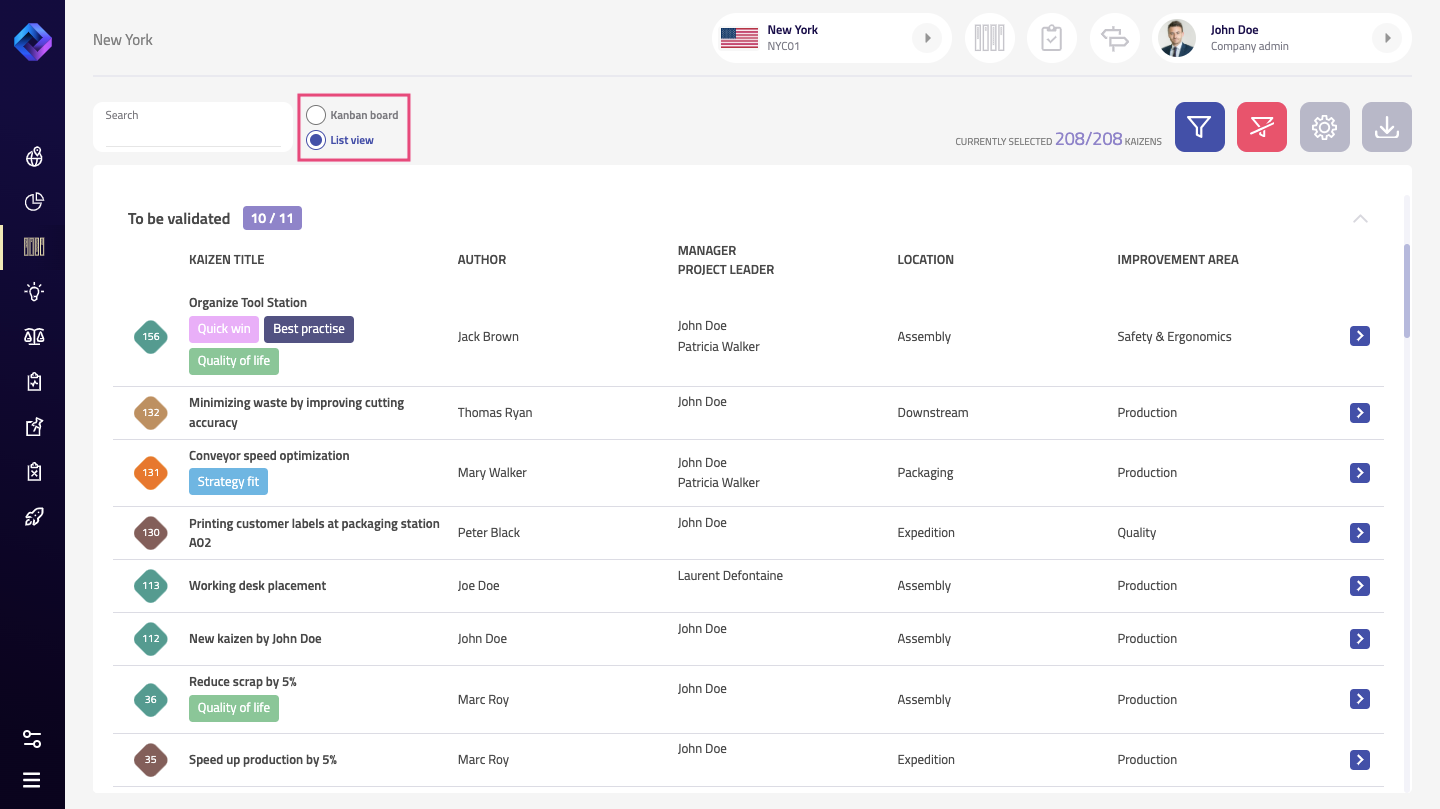
Above the board or list, you can filter by a wide range of criteria:
- Text search
- Location and Improvement area
- Manager, Project leader, Author
- Project type
- Tags
- Reward status
- Deployment potential
- Score range
- Submission date
- Cost center, Reason code
Filters can be combined to narrow down what you want to see.
Settings
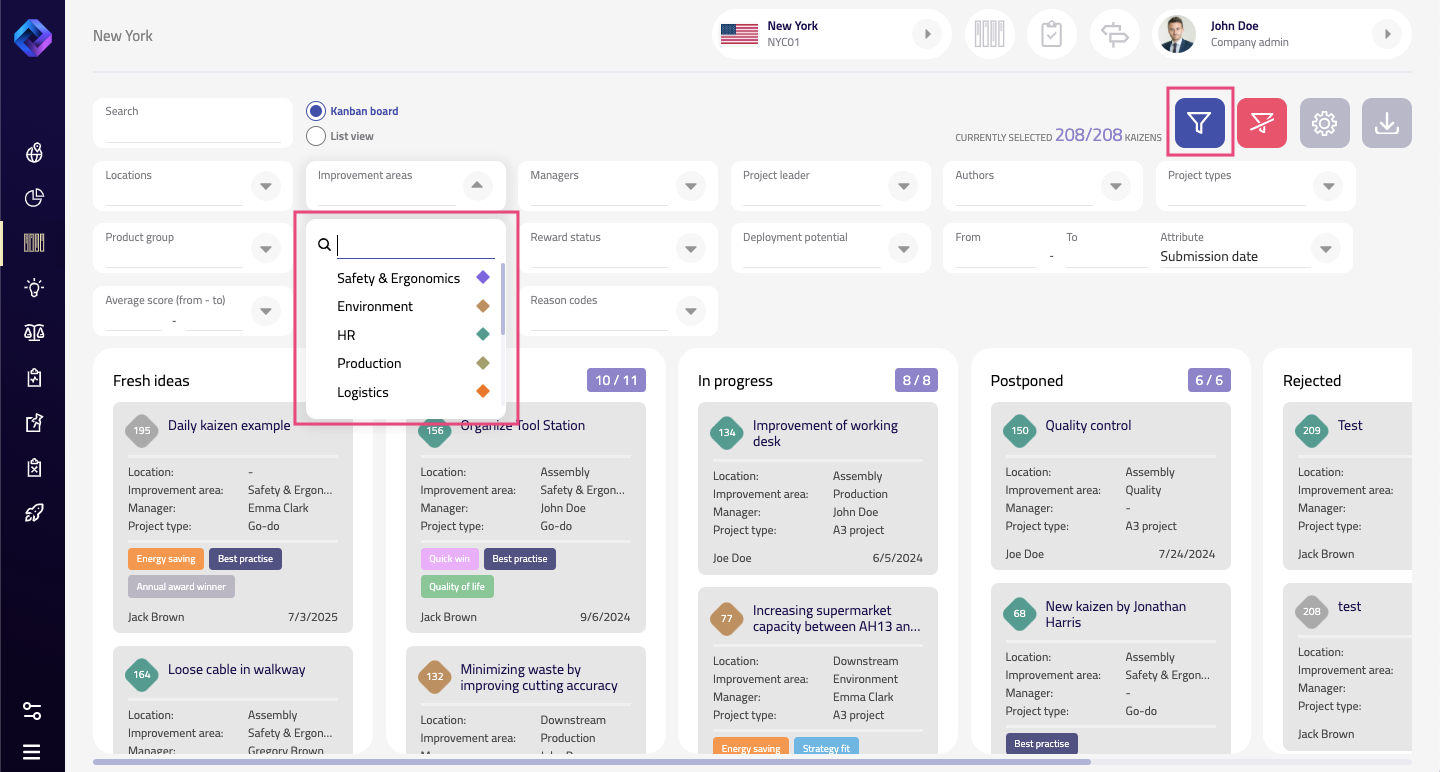
Use the settings icon (gear) to adjust how the overview looks:
- Select the columns/stages you want to display
- Choose a color coding logic, e.g. by improvement area or location
- Set how much information should be visible on each card (e.g. manager, improvement area, tags)
These settings help you tailor the view to your needs.
Exporting Data
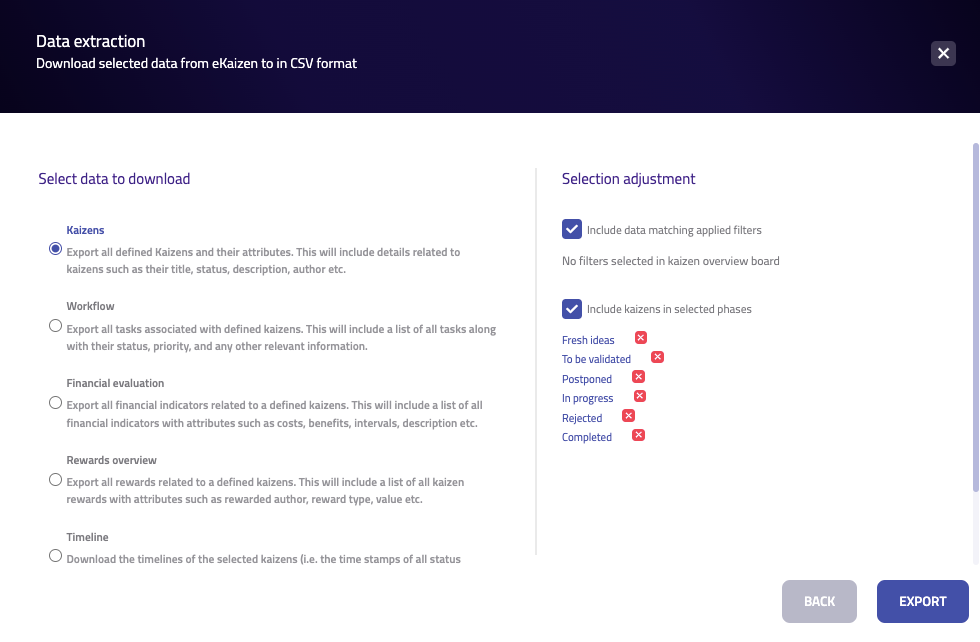
Click the download icon to export data in CSV format. You can customize what to export and how.
Select the type of data:
- Kaizens - Includes general info like title, status, description, author, etc.
- Workflow - A list of all tasks linked to each kaizen, including status, priority, and more.
- Financial evaluation - All cost/benefit entries with attributes such as value, description, and interval.
- Rewards overview - All rewards issued, including rewarded person, value, and type.
- Timeline - Time stamps of all status changes for selected kaizens.
Adjust your selection:
- Choose whether to include only filtered data (based on filters currently applied in the overview).
- Select which project stages you want to include in the export (e.g. only completed ideas, or everything except rejected).
Once you’ve made your selection, click Export to download the data.
That’s it for the Kaizen Overview! Use it to stay on top of all your ideas and projects - whether you’re planning, tracking, or preparing reports.
How did we do?
Working with the project charter