Table of Contents
Using metrics
Metrics is one of the Evaluation tools in eKaizen that helps you track the performance and impact of your project over time. It complements tools like Scoring and Financial Evaluation by showing the…

Updated
by eKaizen Support
Table of Contents
Metrics is one of the Evaluation tools in eKaizen that helps you track the performance and impact of your project over time. It complements tools like Scoring and Financial Evaluation by showing the actual measurable results achieved throughout the project’s life cycle. You can access it in Project detail → Evaluation → Metrics.
It is designed to continuously record and monitor metrics / KPIs that are influenced by the specific project.
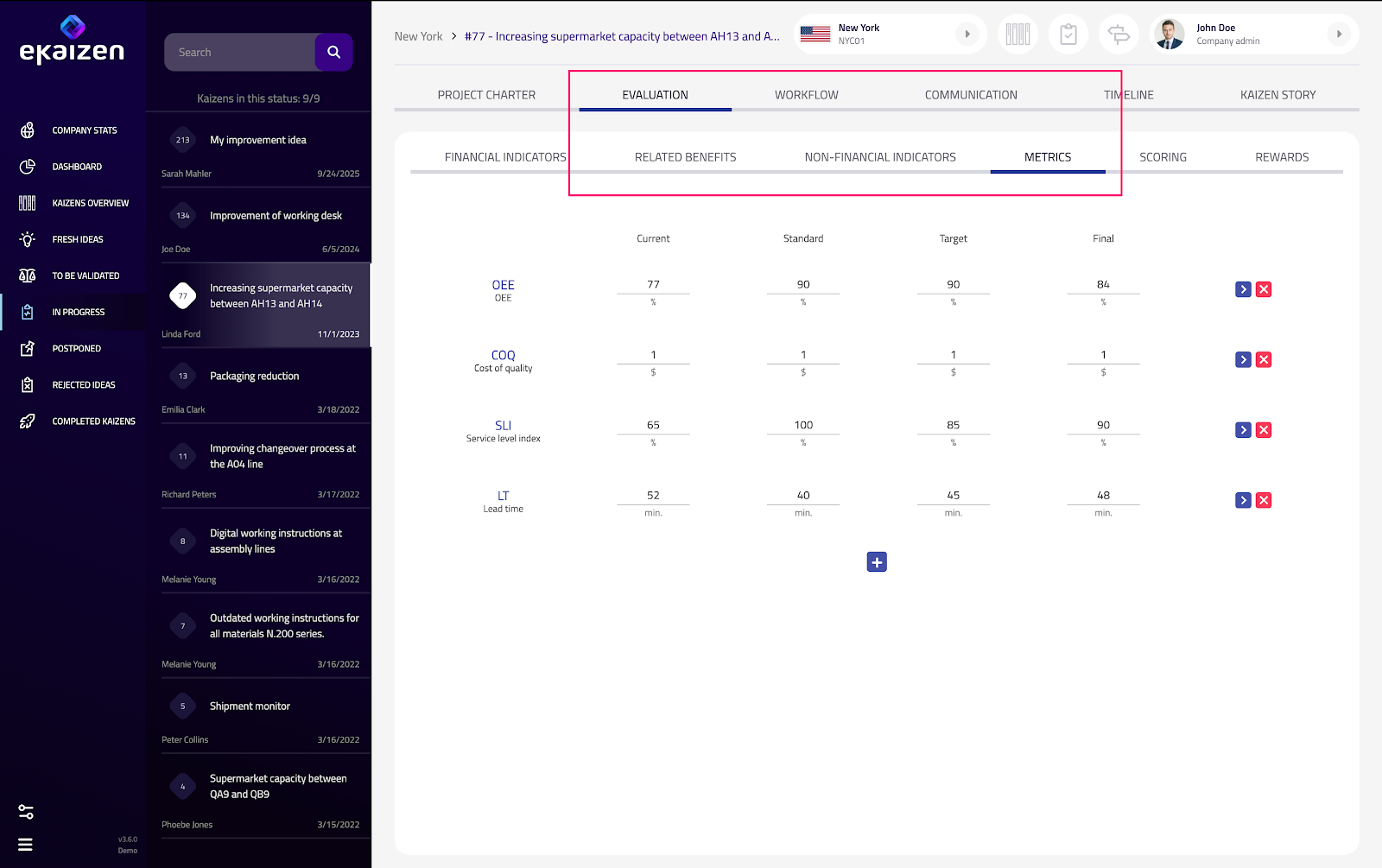
Tracking project performance
When you open the Metrics tab:
- You’ll see a set of predefined KPIs and the milestones at which they should be measured and recorded.
- Both the KPIs and milestones are predefined by the eKaizen Administrator.
- This structure ensures consistency in how project results are tracked and compared across different teams or locations.
Don’t see any predefined metrics? Default KPIs and milestones can be configured by an eKaizen Administrator in: Plant preferences → Metrics.
Additionally - to make sure KPIs are recorded at the right time - an eKaizen administrator can create tasks with corresponding deadlines in the workflow (task) template. This helps keep metric updates consistent and on schedule.
Additionally - to make sure KPIs are recorded at the right time - an eKaizen administrator can create tasks with corresponding deadlines in the workflow (task) template. This helps keep metric updates consistent and on schedule.
Adding your own KPI
If you want to track an additional KPI that isn’t included in the predefined set:
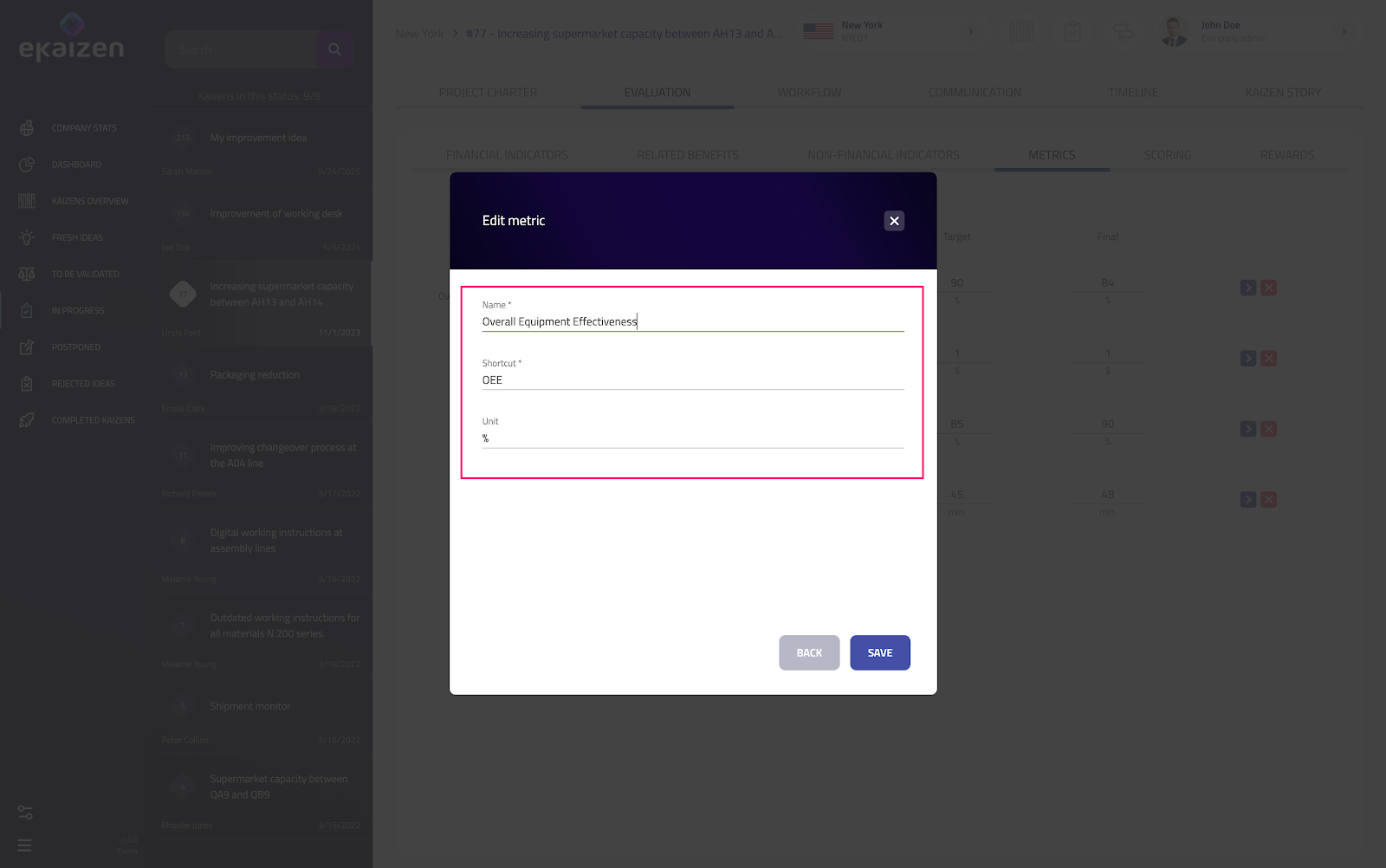
- Click the [+] button to create a new KPI.
- For each KPI, specify:
- Name – the full name of the KPI.
- Shortcut – a short identifier used in reports or tables.
- Units – the measurement units (e.g. %, hours, pieces).
This allows you to capture project-specific data alongside standardized KPIs.
Didn’t find what you were looking for? Reach out to your administrator, your eKaizen contact person or write to contact@ekaizen.app.
How did we do?
Creating and managing rewards
Scoring and prioritization of projects