Table of Contents
Project Presentations
Project Presentations allow you to generate a ready-to-use PowerPoint presentation directly from a project in eKaizen. Instead of manually preparing presentation slides, eKaizen automatically creates…

Table of Contents
Project Presentations allow you to generate a ready-to-use PowerPoint presentation directly from a project in eKaizen. Instead of manually preparing presentation slides, eKaizen automatically creates a presentation using the information already stored in the project.
Presentations are automatically generated using your company's visual identity, providing a consistent look and feel with other branded parts of eKaizen, such as the Portal and Submission Forms.
Access
Open a project and navigate to the tab called Presentations.
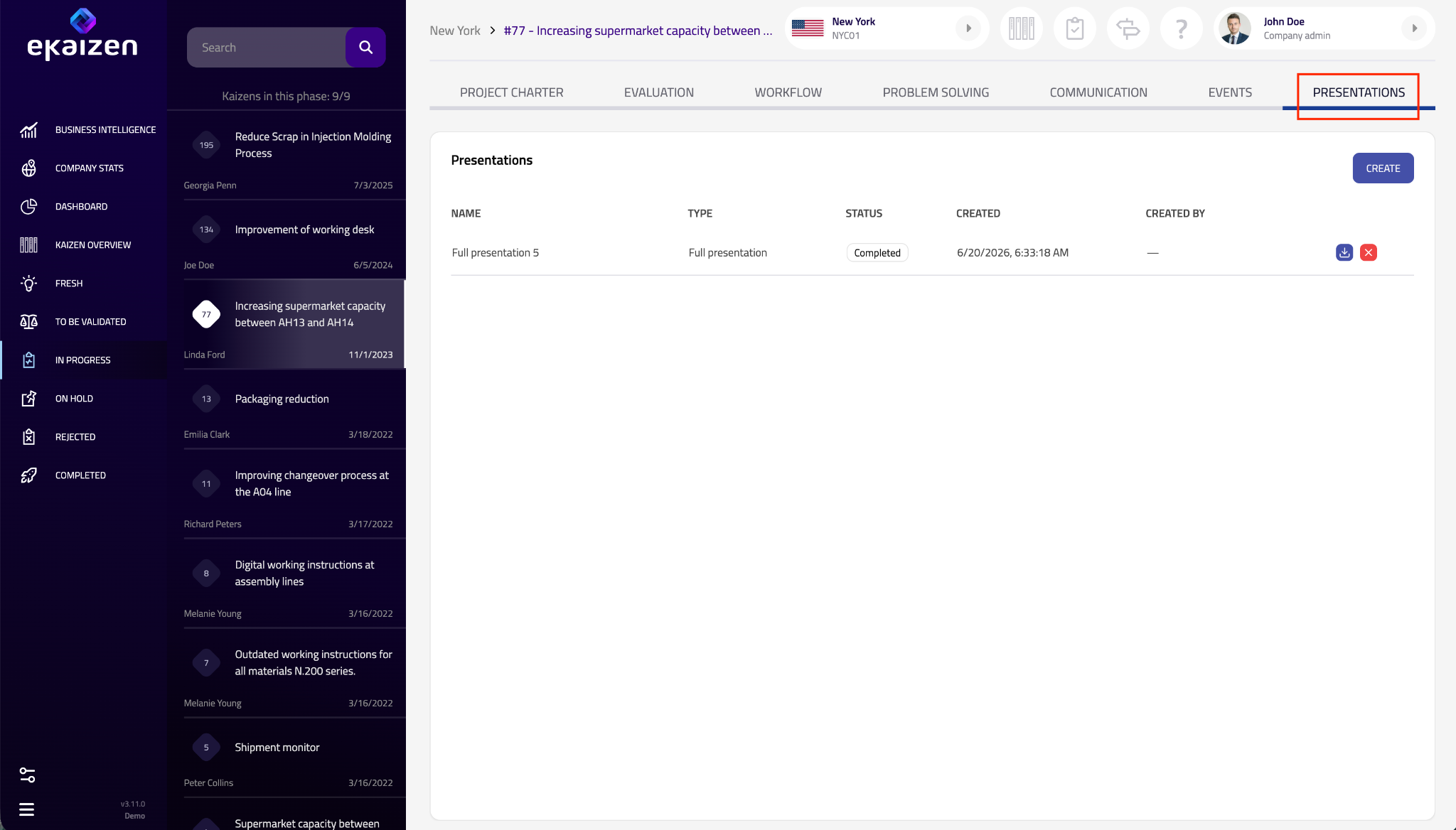
Here you'll find all presentations previously generated for the project, including:
- Presentation name
- Presentation type
- Status
- Creation date
- Created by
From this screen, you can:
- create a new presentation,
- download an existing presentation,
- delete a presentation.
Creating a presentation
Click Create.
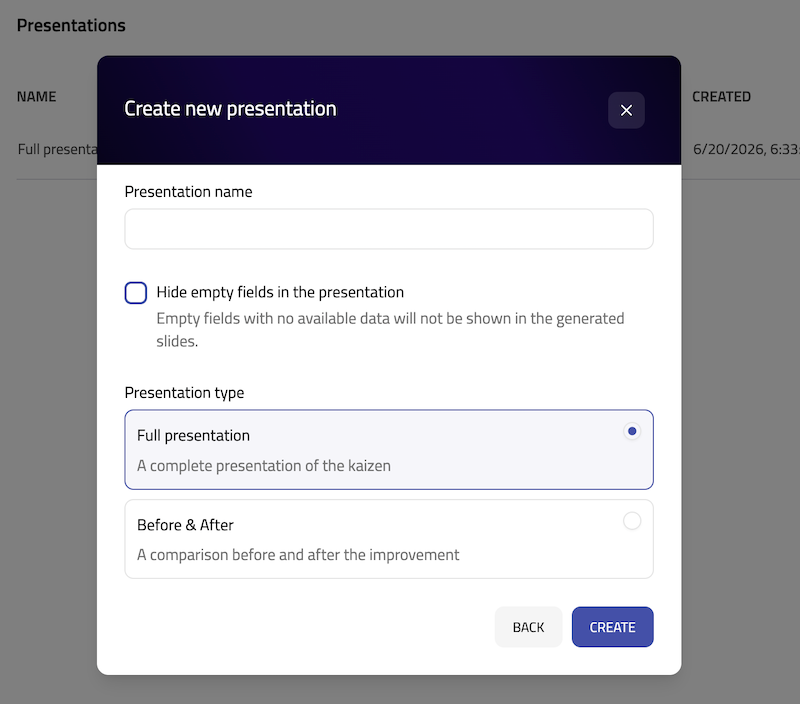
Before generating the presentation, configure the following options:
Presentation name
Enter a name to help identify the presentation later. You can create multiple presentations for the same project.
Hide empty fields
When enabled, sections without any available data are automatically omitted from the presentation, resulting in a cleaner output.
Presentation type
Select the presentation template you want to generate.
The available presentation types may vary and can be extended over time as new templates are added.
When you're ready, click Create. Generation usually takes only a few moments.
Downloading a presentation
Once the presentation has been generated, its status changes to Completed.
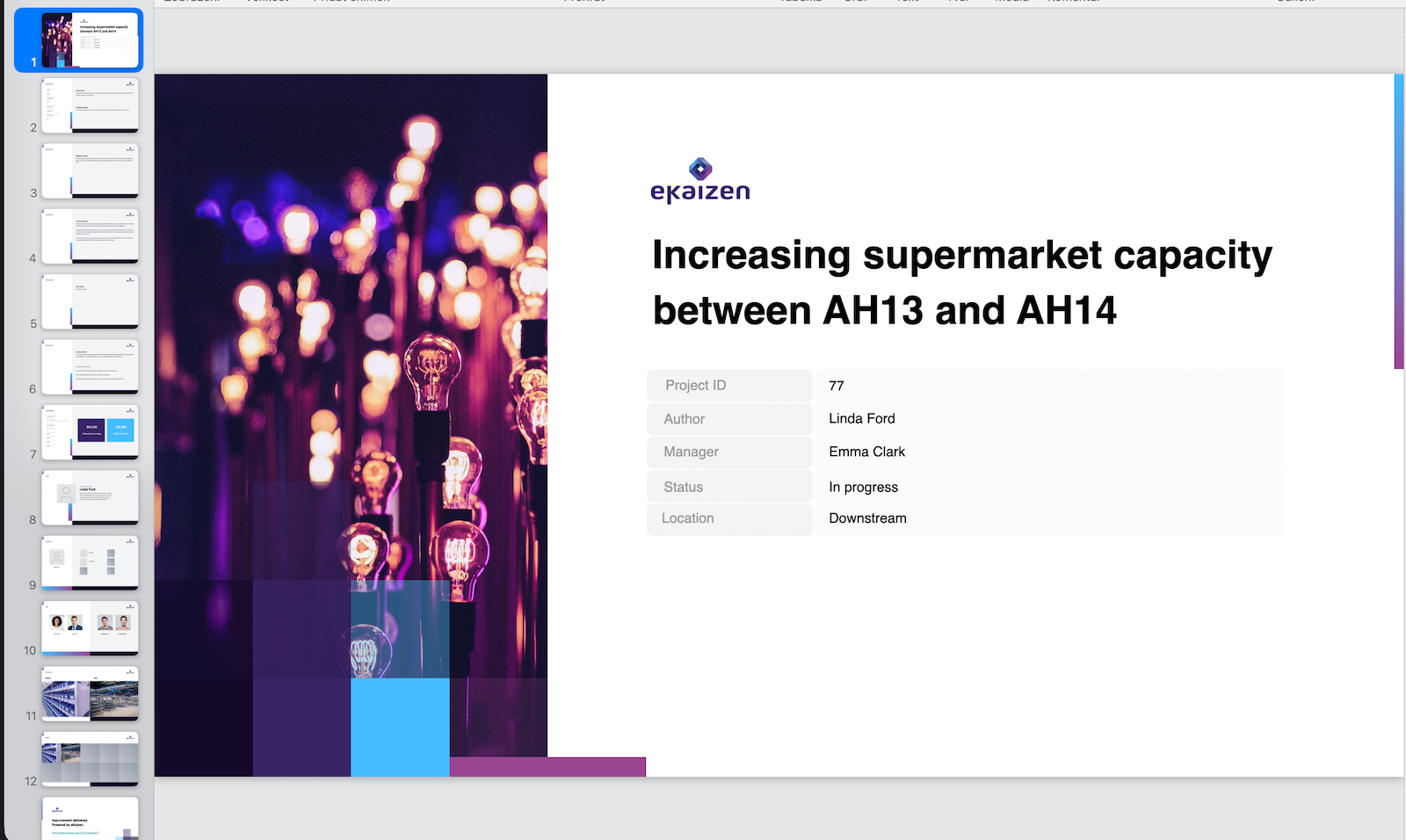
Click the Download icon to save the presentation as a PowerPoint (.pptx) file. You can then edit it further or present it directly.
Deleting a presentation
Click the Delete icon to remove a generated presentation.
Deleting a presentation removes only the generated PowerPoint file. It does not affect the project or any information stored in eKaizen.
How did we do?
Task overview
Understanding project types