Submitting an idea
Once you've selected the appropriate tile in the eKaizen portal, you'll be taken to a submission form. The exact layout and required fields may vary depending on your company’s configuration, but the…

Once you've selected the appropriate tile in the eKaizen portal, you'll be taken to a submission form. The exact layout and required fields may vary depending on your company’s configuration, but the process typically follows the steps below.
Filling Out the Form
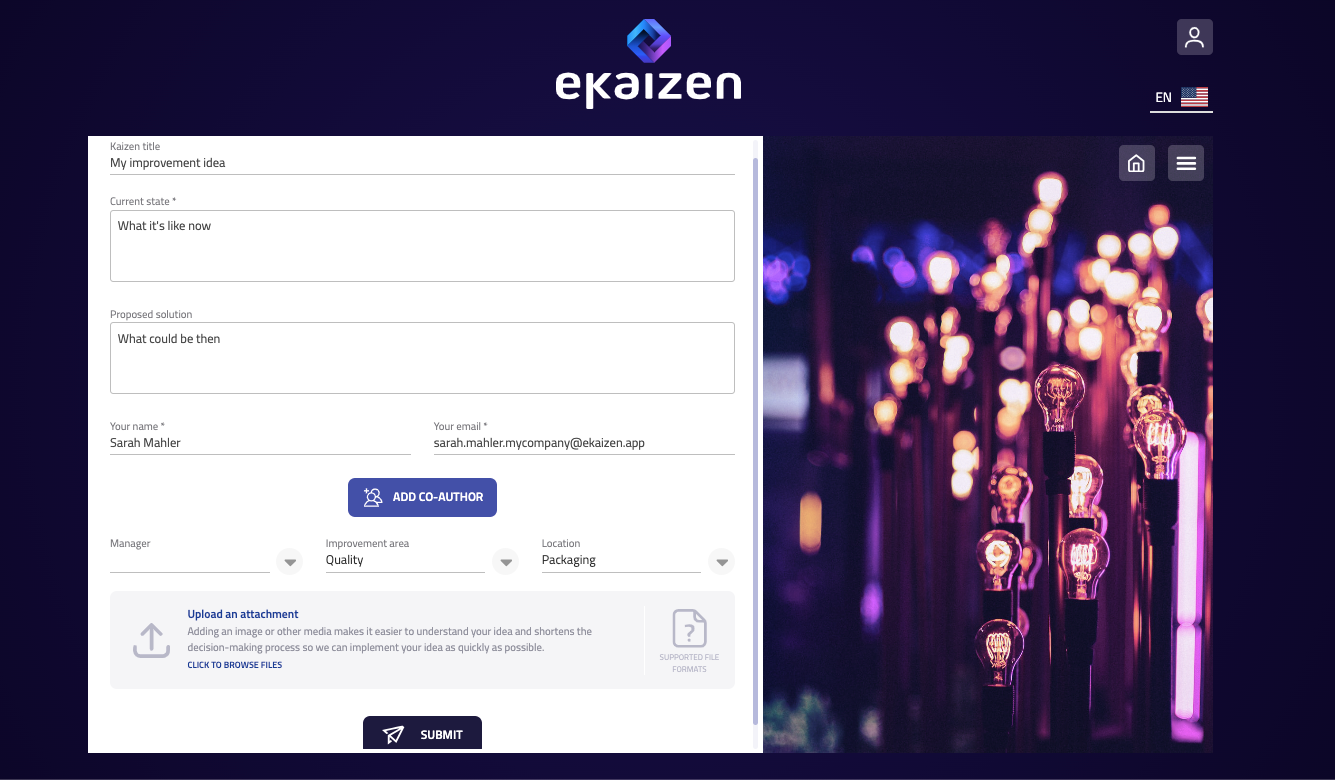
Each form is tailored to a specific type of improvement. It may include fields such as:
- Title of your idea
- Current situation or problem
- Suggested improvement
- Improvement area (e.g. safety, cost, quality)
- Location or department
Some fields are required, while others may be optional. Required fields are marked clearly in the form.
Personal Information
Depending on how your organization has set up eKaizen, your personal details (such as name and email) may be filled in automatically if you’re logged in. If not, you may need to enter them manually.
If allowed, you can use either your business or personal email address.
Adding Attachments
You can upload relevant files, such as photos, diagrams, or supporting documents, using the attachment section in the form.
Submitting the Idea
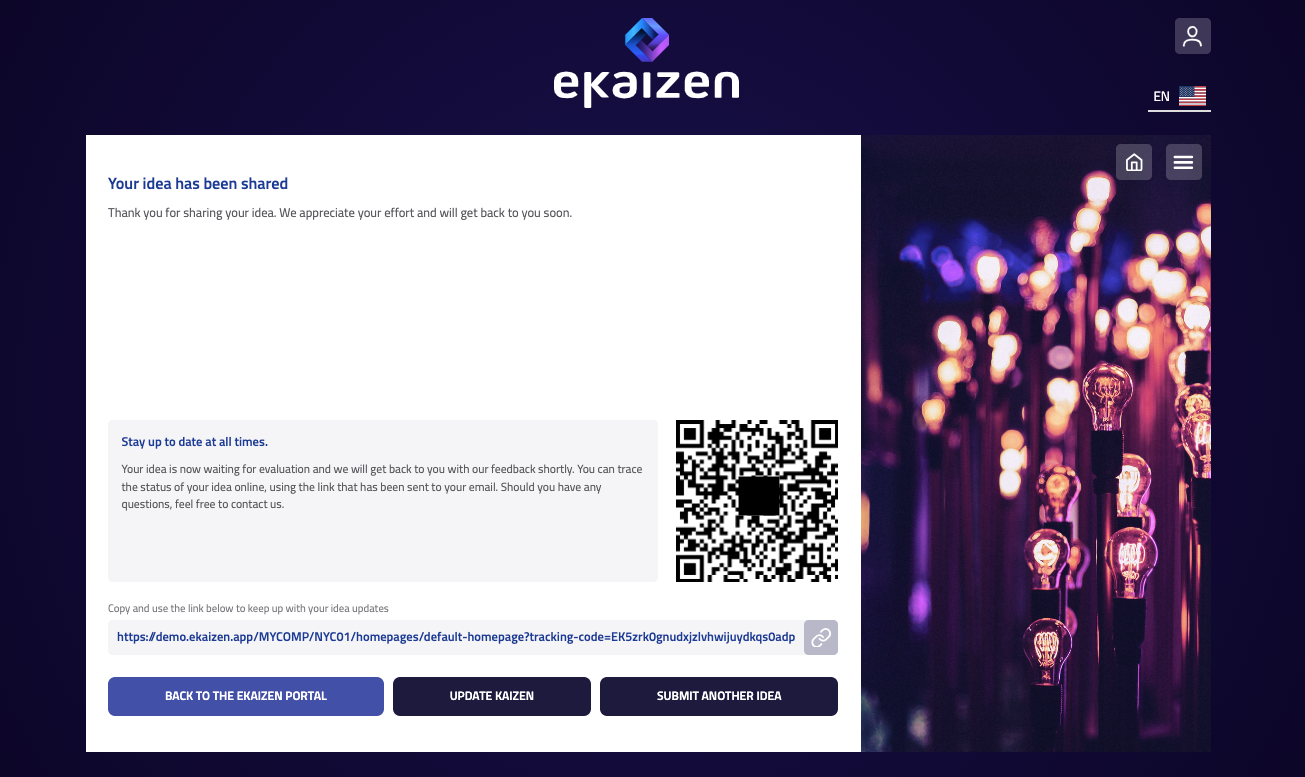
Once you’ve completed the form, click the Submit button. You’ll immediately see a confirmation with a link and a QR code to access your idea later. If you provided your email address, the same confirmation will be sent to you by email.
How did we do?
Tracking an idea
How to work with the portal