Tracking an idea
Submitting an idea is just the first step. eKaizen makes it easy to follow what happens next and stay involved. Access after submission. After submitting, you’ll immediately see a confirmation page w…

Updated
by eKaizen Support
Submitting an idea is just the first step. eKaizen makes it easy to follow what happens next and stay involved.
Access after submission
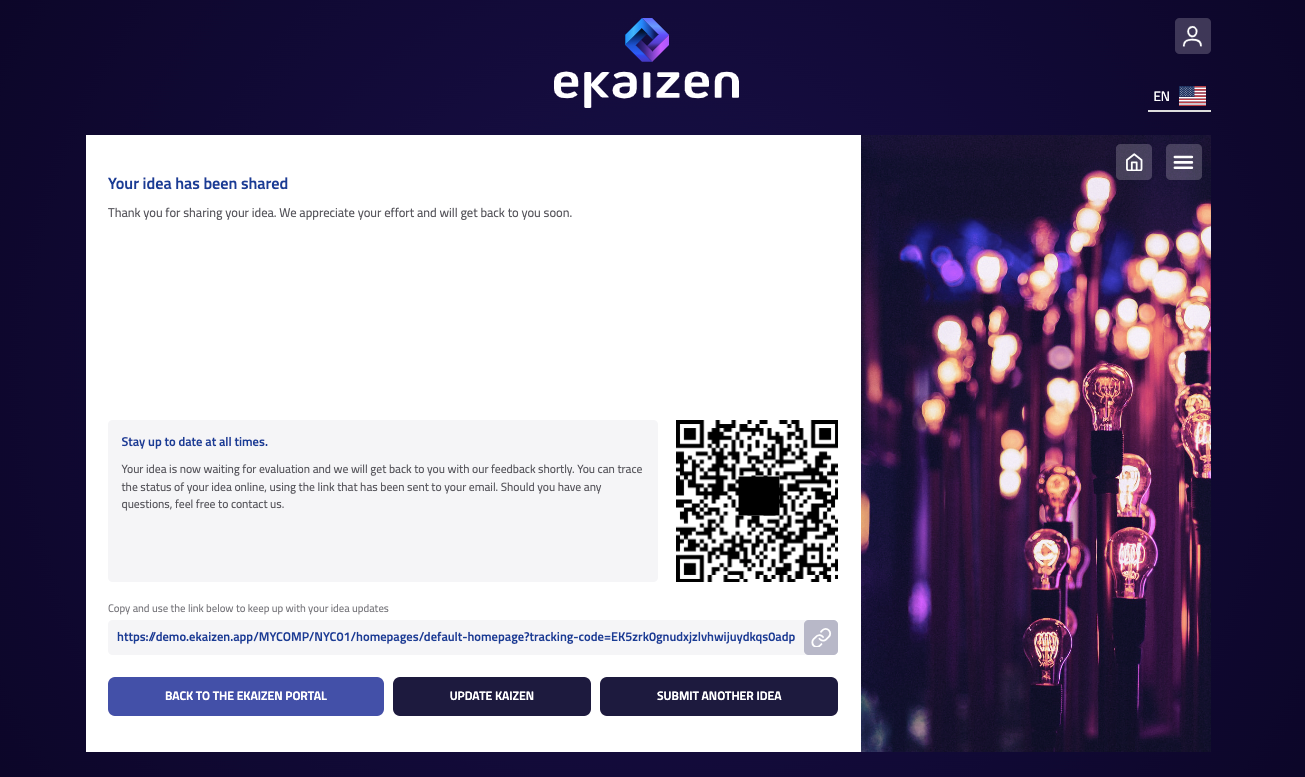
After submitting, you’ll immediately see a confirmation page with:
- A direct link to your idea.
- A QR code you can scan to open it later.
- (If you provided your email) a confirmation email with the same link.
What the author sees
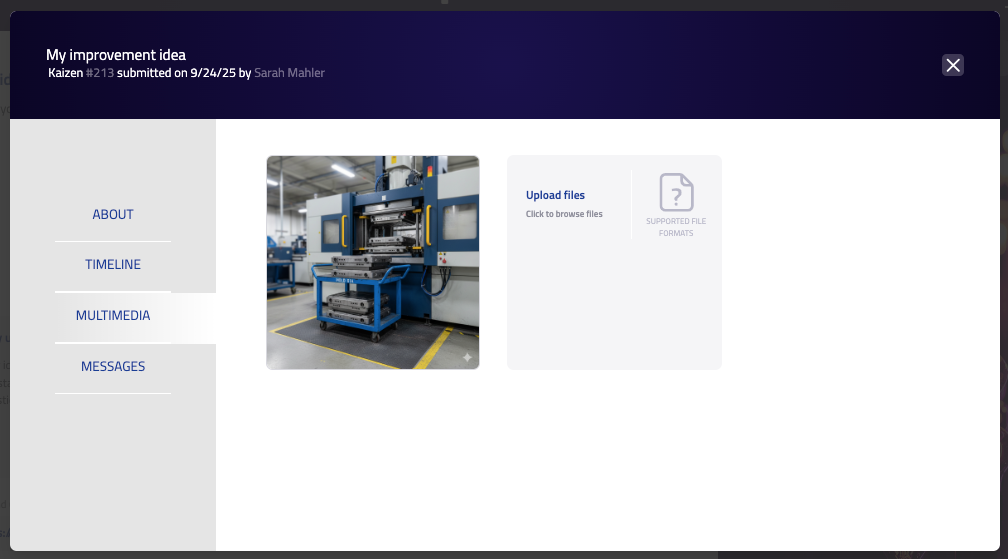
When you open your idea, you’ll find a simple menu on the left:
- About – the details you entered when submitting, plus other information such as the responsible person assigned to the idea.
- Timeline – changes of status and important updates.
- Multimedia – images or documents you attached, and space to upload more.
- Messages – communication with the idea manager and other participants.
This view helps you keep track of your own submission and stay involved as it moves through the stages.
My submissions (eKaizen Portal)
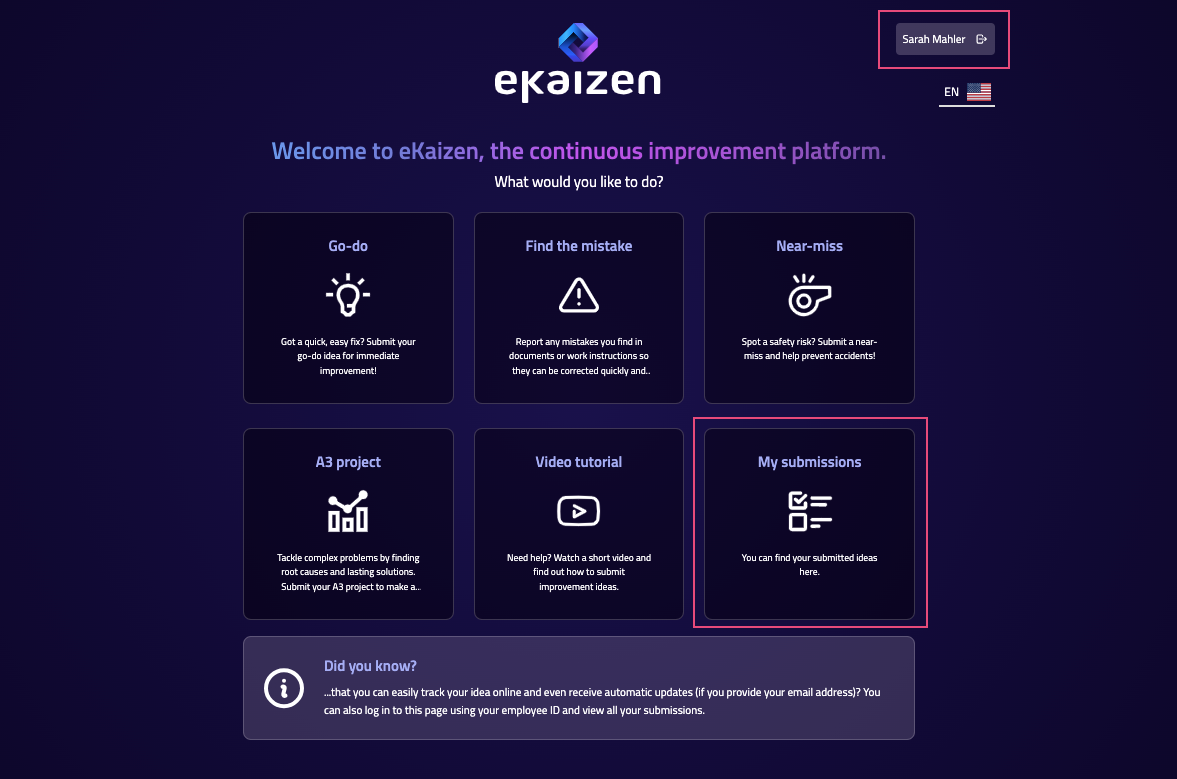
All your ideas are also available from the My submissions tile on the Portal.
- To see them, you need to log in to the portal. Depending on your company setup, this may be with an employee card/badge (e.g. on a kiosk with a card reader), or by email or employee ID.
- Once logged in, you can view the list of all your submitted ideas.
- Check the current status and stage in the workflow.
- Open each idea to see details, attachments, or messages.
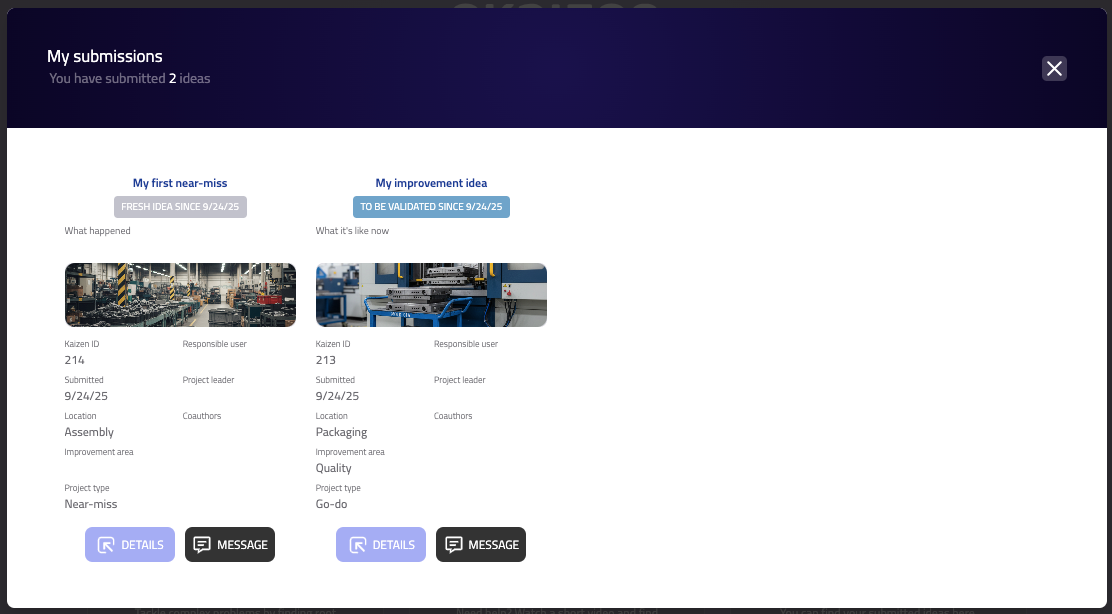
Tracking ensures you always know where your ideas are and what’s happening with them. And if you provide your email (business or personal), you don’t even need to track them actively - you’ll receive updates automatically and stay informed at all times.
How did we do?
Submitting an idea