Table of Contents
Working with tasks
Tasks (accessible via the Workflow tab) help structure and manage the entire lifecycle of an improvement idea or project - from early validation to final review. You can track progress, assign respon…

Table of Contents
Tasks (accessible via the Workflow tab) help structure and manage the entire lifecycle of an improvement idea or project - from early validation to final review. You can track progress, assign responsibilities, and define dependencies or deadlines to keep things moving.
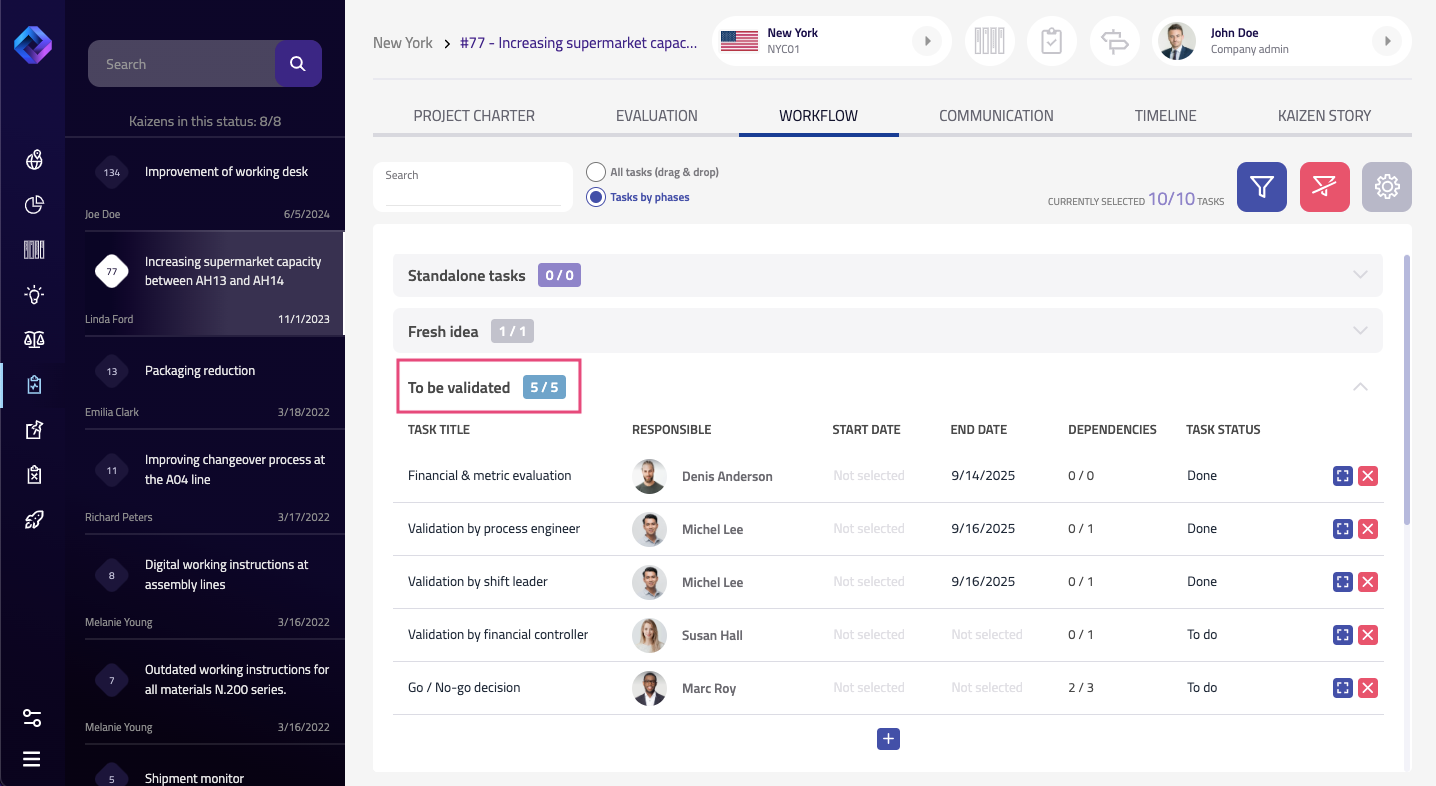
There are two ways to view and manage tasks:
- All tasks (drag & drop) – a flat list where you can see every task regardless of the project phase
- Tasks by phases – a structured view showing tasks grouped by the kaizen’s current workflow stage
You can switch between these views at any time.
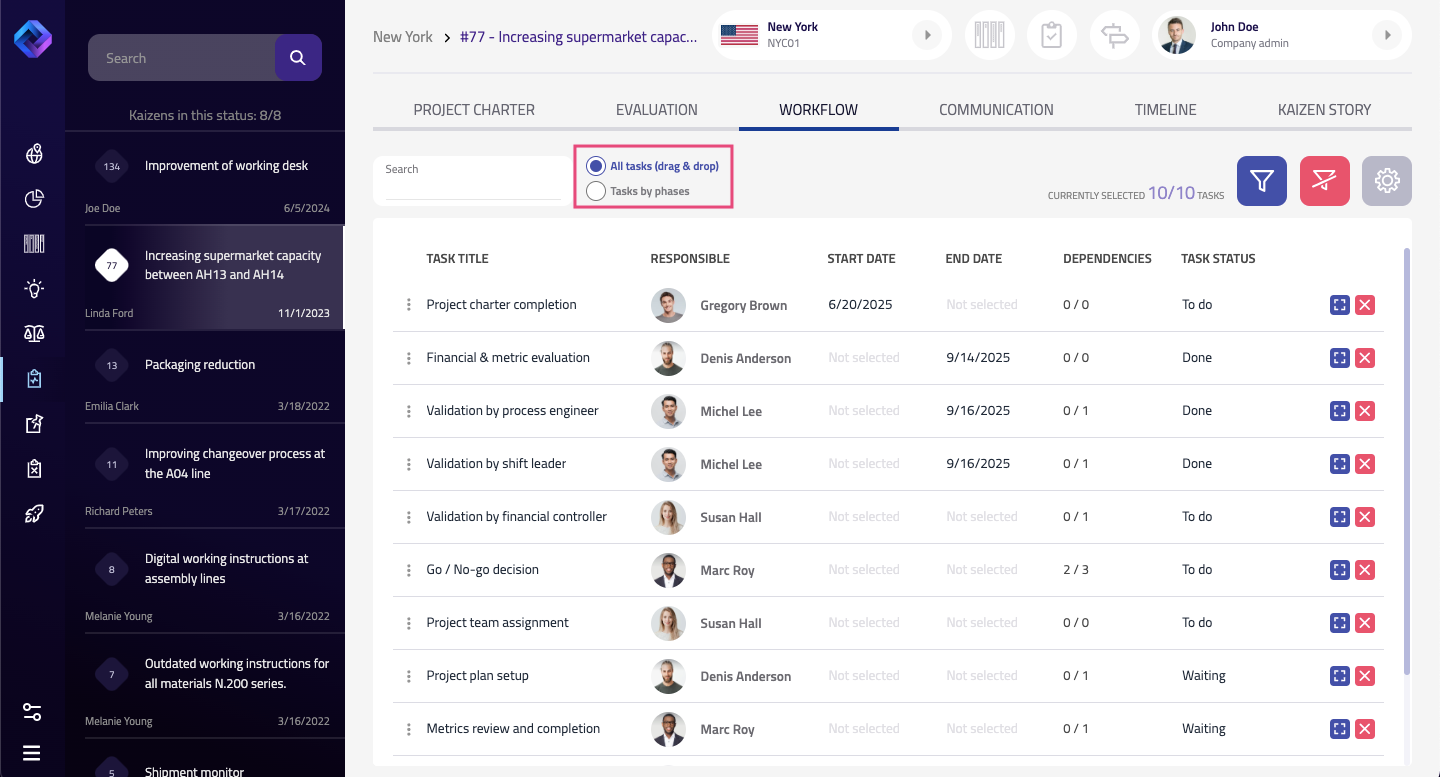
Overview of Tasks
Each task contains the following information:
- Task title
- Responsible person
- Start and end date
- Dependencies – if a task must follow another
- Status – To do, Done, Waiting, etc.
- Kaizen phase – where in the workflow the task belongs
- Priority and description
If you have the right permissions, you can create new tasks by clicking the plus icon. In the All Tasks view, you can drag and drop them into the desired order. In the Tasks by Phases view, you can add tasks directly within a specific phase.
Tasks can also be configured to require completion before the kaizen phase can be changed, adding another layer of process control.
Viewing and Completing a Task
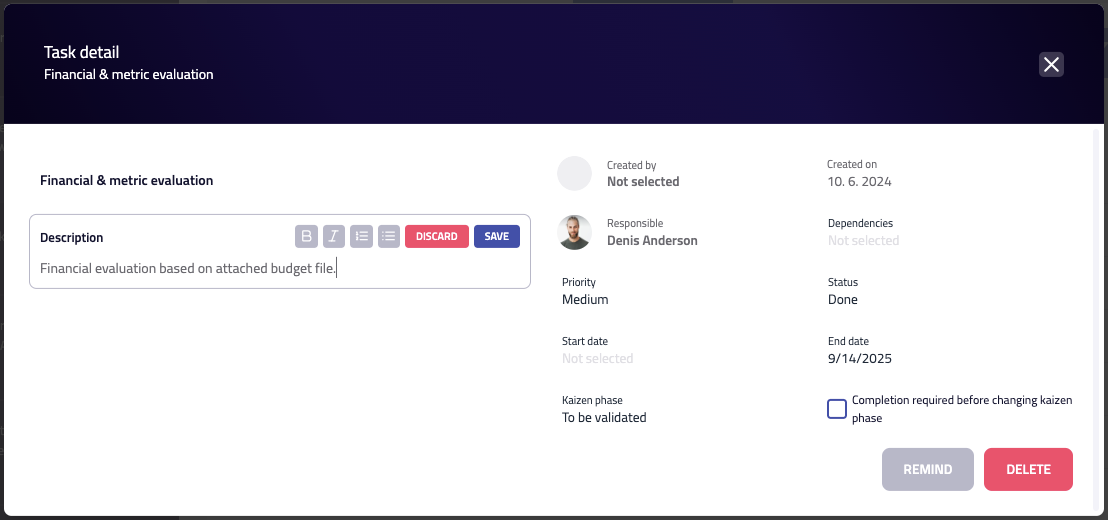
If you're assigned a task, you’ll receive an email notification with a direct link to the task. Opening the task detail lets you:
- Read the task description
- Check your responsibilities and the due date
- Understand its status, priority, and place in the workflow
If you’re allowed to make changes, hover over a field and click the edit icon. Each text field change needs to be saved manually.
Changes to long text fields like the description are tracked - including the author and timestamp.
Once your work is done, simply update the task status to Done.
How did we do?
Project deployment (Sharing best practices)
Working with the project charter